Cut a clip to any length. TrimSafe writes the original GPS, capture date, and camera info back onto the output — then re-reads the file to prove it. Try the handles.
Frame-accurate trimmingAny length, nudged to the exact frame.
Full metadata preservationGPS, true capture date, device make and model — written back explicitly, every export.
On-device processingNothing uploaded. No account.
Post-export verificationBuilt by re-reading the output, not by trusting the write.
One-tap coordinatesCoordinates as copyable text, straight from the file.
Named by locationFiles named by coordinates; export to Files or iCloud Drive.
On iPad
A list and its finding, open together.
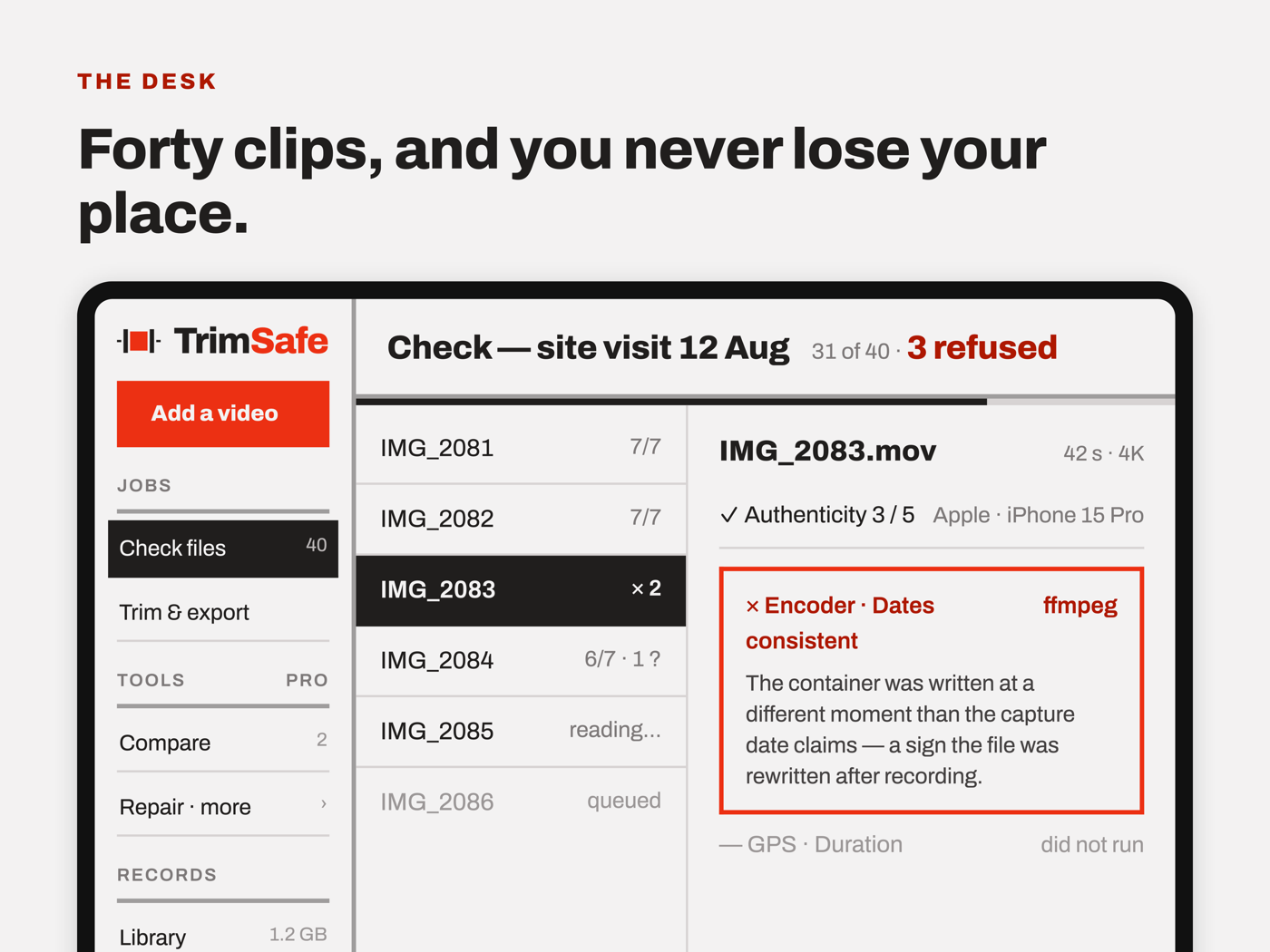
The same app, with a layout built for the screen rather than stretched onto it: the hub stands as a sidebar, and three jobs open two panes side by side. On a phone, reading forty clips means forty pushes and forty returns. Here you never leave the list — the selection moves and the finding changes beside it.
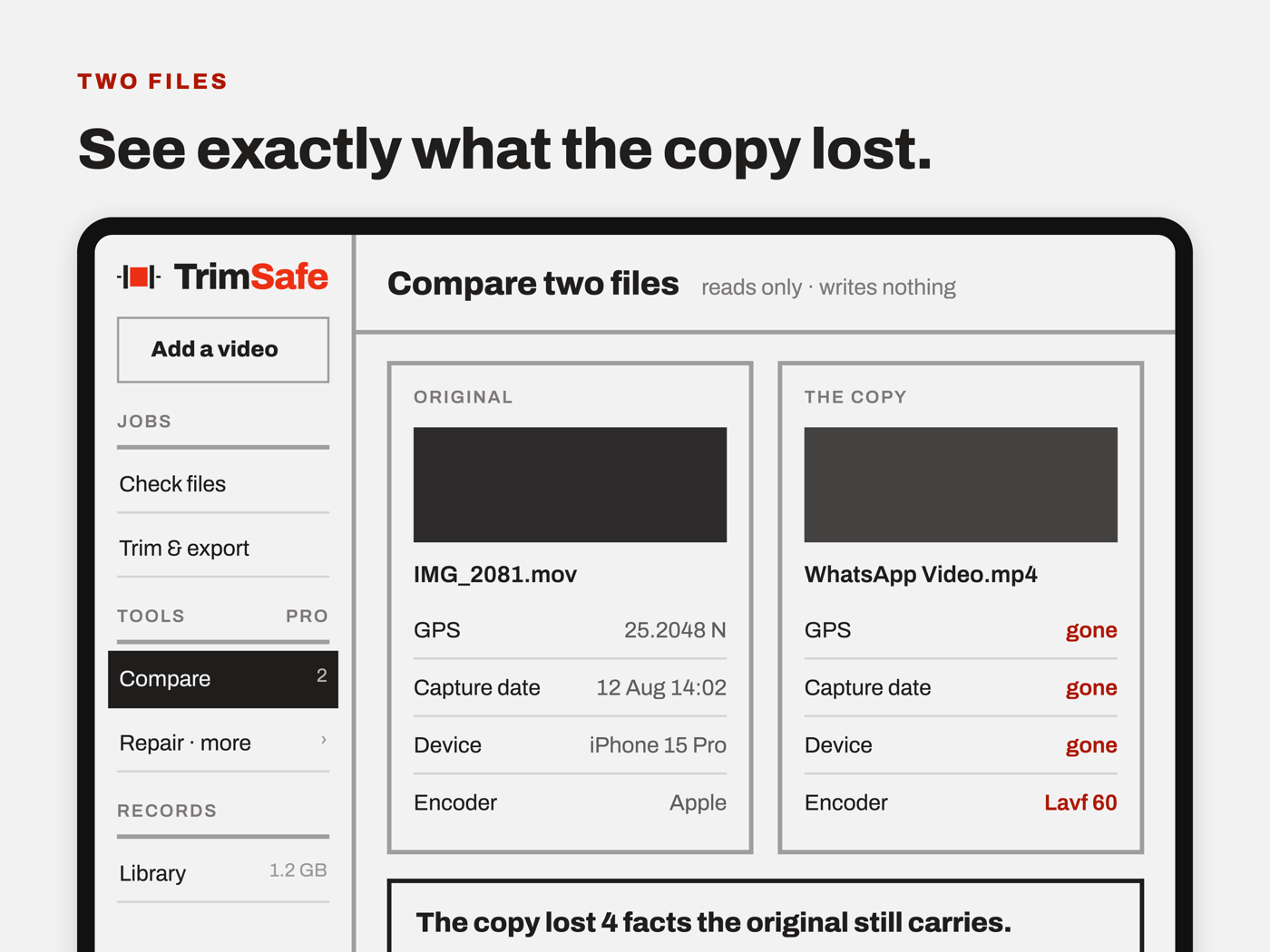
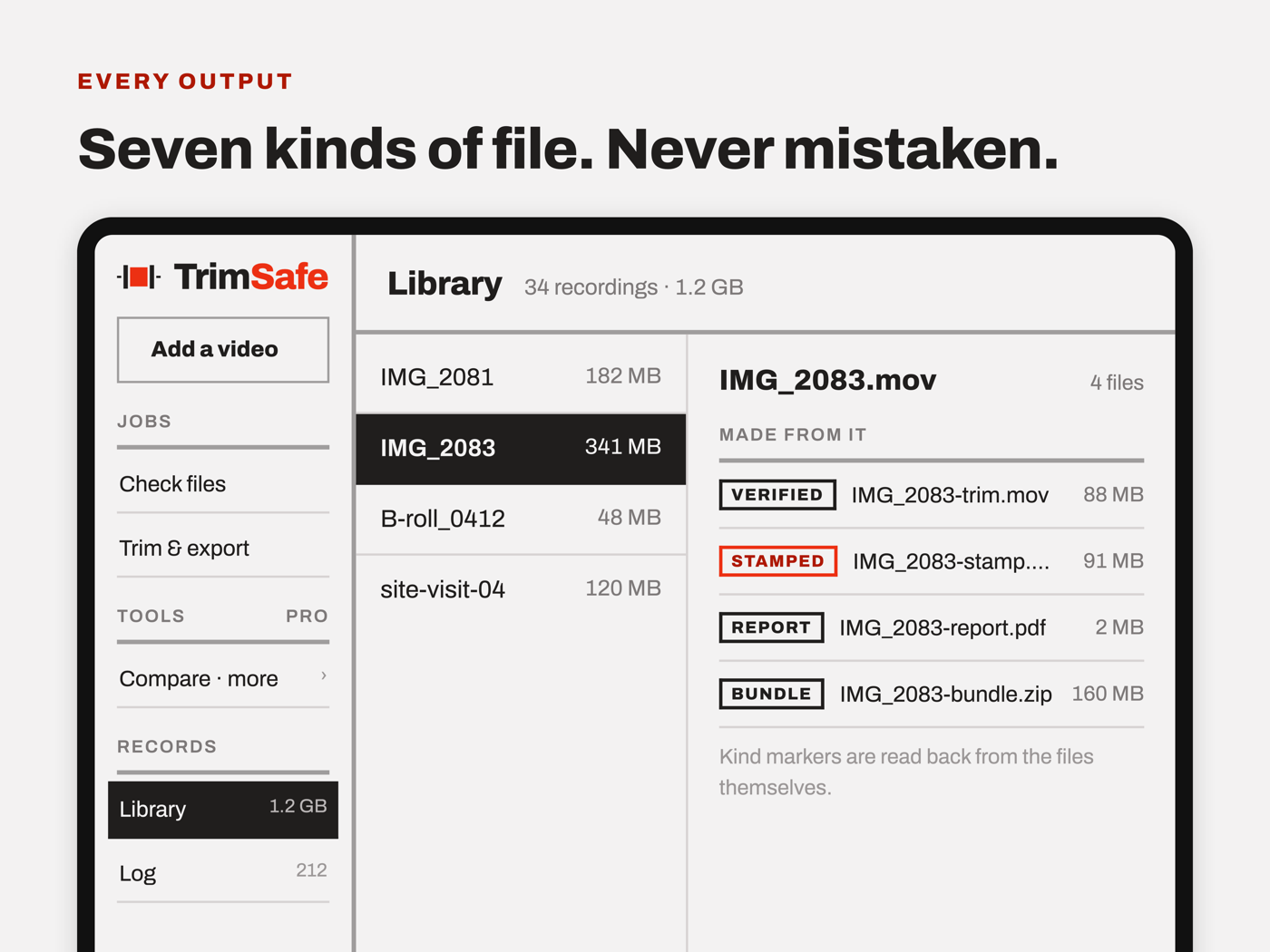
Check a batch. The queue stays put while each finding opens beside it.Compare a copy with its original, both files on screen at once.The library beside the recording, and every file made from it — each marked with what it is.
Below the width where two columns fit — an iPad in a narrow split — it becomes the phone layout, on purpose.
Who it's for
Real estate & property videoInsurance & field documentationContent creatorsParents & travelersAnyone who shoots on their phone
Built for footage that has to prove where and when — and just as useful for anyone who'd rather not degrade a clip to shorten it. This version verifies Apple camera originals — iPhone or iPad: it reads the metadata Apple's camera writes, and refuses footage it cannot recognise as one.
TrimSafe Pro
Free trims a video that passed every check.
Pro reads every video the same way — and lets you decide.
A single purchase, not a subscription. The free flow does not change and the checks stay exactly as strict.
Read anything, decide for yourself
Every readable video acceptedTrim one that did not passEvery check in plain language
Paperwork you can hand over
A report on any clip, passed or failedThe export, not just the sourceYour firm's name and logoA password you set once
Forty clips, not one
Check without trimmingThe queue as one documentThe metadata as JSONCheck a file against its report
Two files at once
See what a copy lostPut back what it lost
File handling
Remove the soundFit a size that will sendConvert, and joinA frame, or a stamped copy
Unlimited clip trimsFull metadata preservationOn-device processing100% privacyEvery check explained in plain language, pass or failPlain-text metadata summary, copied anywhereA library of what you've kept, and a log of what was doneSave to Files or iCloudSave to Photos**Photos may keep its own rendition of the clip — the Files copy is the verified one.
Everything in FreeEvery readable video acceptedTrim clips that fail the checksA written report — PDF or plain text — on any clip, passed or failedCovers the export as well as the source, with a SHA-256 fingerprint of eachYour firm's name, logo and coordinate format on itA stored report password, instead of typing one at each saveCheck forty clips in one batch — combined PDF, CSV, JSON, or a zipped evidence bundleCompare two files, and repair a copy from its originalMute, compress, convert, join, stamp, save a frameAll of it ships in the app today — what each one does. One purchase, not a subscription.
Everything in ProiCloud sync of the log and library across your devicesSaved presets for the settings you use on every jobContinuously updated platform export presets (Instagram / TikTok / YouTube)Priority supportNothing here is built yet. Batch, conversion and overlays used to be listed on this tier; they are in Pro now.
Coming Soon
Privacy
Your videos never leave your phone. No uploads, no ads, no tracking, no account.